
Mortgage brokering is two jobs at once: pushing a handful of active files through underwriting without missing a document deadline, and staying in touch with past borrowers for the years it takes a refinance or a referral to come around. A free CRM for mortgage brokers has to handle both — the frantic 30-day file and the three-year anniversary nudge — without charging you per client or locking your history behind a paywall. Here's how to set one up so neither side slips.
Why a spreadsheet stops working for brokers
A rate sheet in a spreadsheet is fine. Your pipeline isn't. The moment you have six files in flight across three lenders, each at a different stage, each waiting on a different document from a different party, a flat grid starts failing you quietly. You can't see at a glance which file is stuck on an appraisal versus waiting on the borrower's bank statements. You lose the thread on who you called last Tuesday. And the spreadsheet has no memory for the follow-up that matters most in this business: the past client who'll refinance in two years if you're the name they remember.
If you're still deciding whether to move off the sheet at all, the CRM vs. spreadsheet breakdown covers the tipping point. For most brokers, it's the day a file goes cold because a condition sat in your inbox unnoticed.
Build the pipeline around loan stages, not vague "statuses"
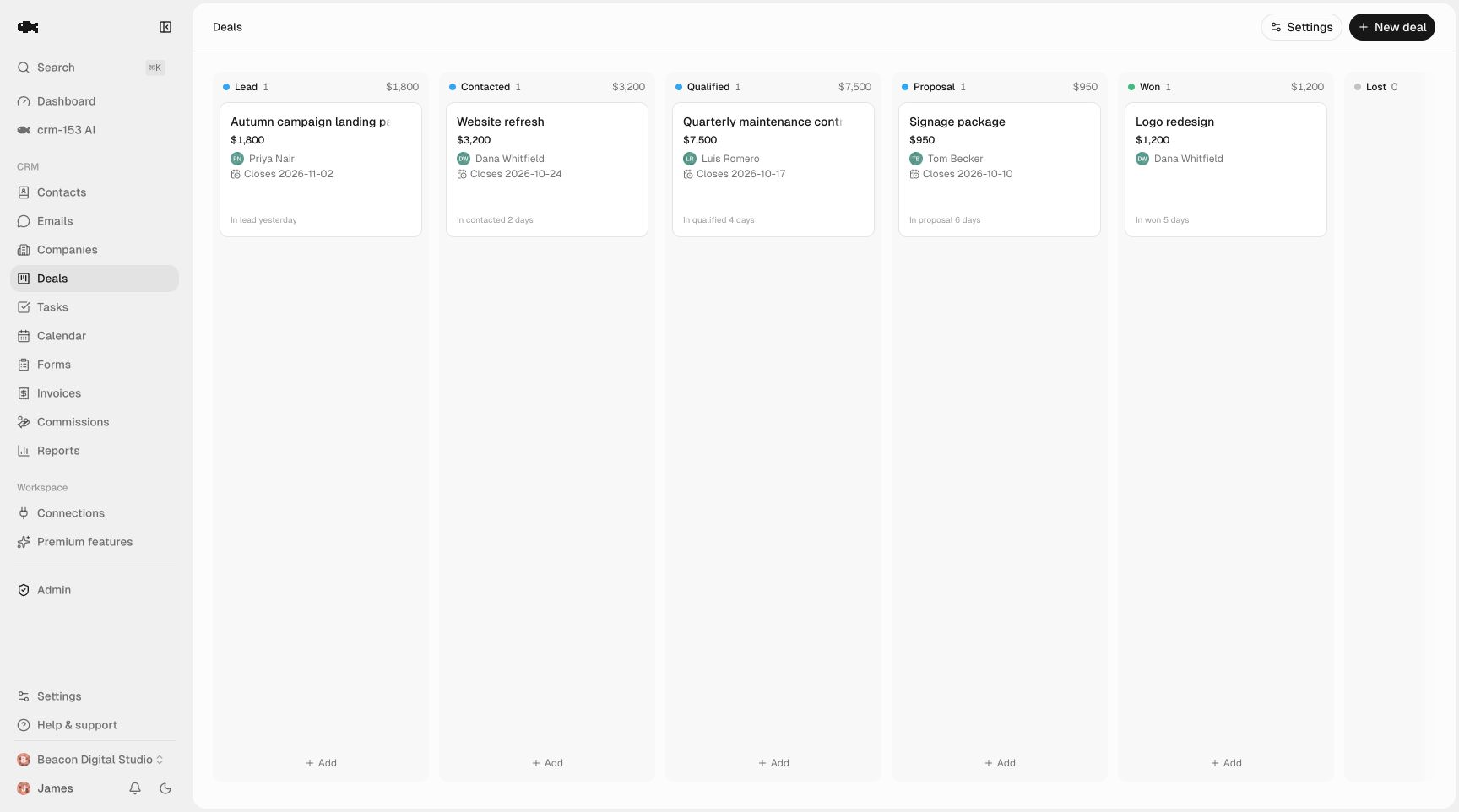
The core of your setup is a deal pipeline where each file is a card and each column is a real milestone in the loan process. Good stages are the points where the file physically changes hands or waits on someone — because those are exactly where files stall. A workable set:
- Pre-approval / application — you've got the lead, gathering docs
- Submitted to lender — file is in, waiting on initial review
- Conditions outstanding — the lender wants more (appraisal, letters, statements)
- Approved / conditions cleared — approved, moving to close
- Closing scheduled — docs out, closing date set
- Funded — done
The point of clean stages is that a glance tells you where every file is stuck and whose move it is. If you're unsure where to draw the lines, how to define sales pipeline stages walks through what makes a good stage boundary. A drag-and-drop sales pipeline lets you move a card as the file progresses, and because you can run unlimited pipelines, keep a second board for purchases versus refinances if the processes diverge enough to warrant it.
Juggling multiple lenders on one file
Brokers aren't tied to one lender, and that's the whole value — but it means every file has a lender attached, sometimes shopped across two or three before one sticks. Handle it with a couple of simple conventions:
- Tag each deal with the lender. A tag like
Lender: AcmeorLender: shoppinglets you filter every file currently sitting with a given lender — useful when a lender's turn times blow out and you want to warn affected borrowers proactively. - Record the loan details on the deal. Loan amount as the deal value gives you a real pipeline total per stage. Note the product (30-yr fixed, HELOC, etc.) and target rate in the deal name or a note.
- Keep the parties on the contact record. The borrower is the contact; log the realtor, listing agent, and lender contact so you're not digging through email to find who to chase.
Never miss a condition or a closing date
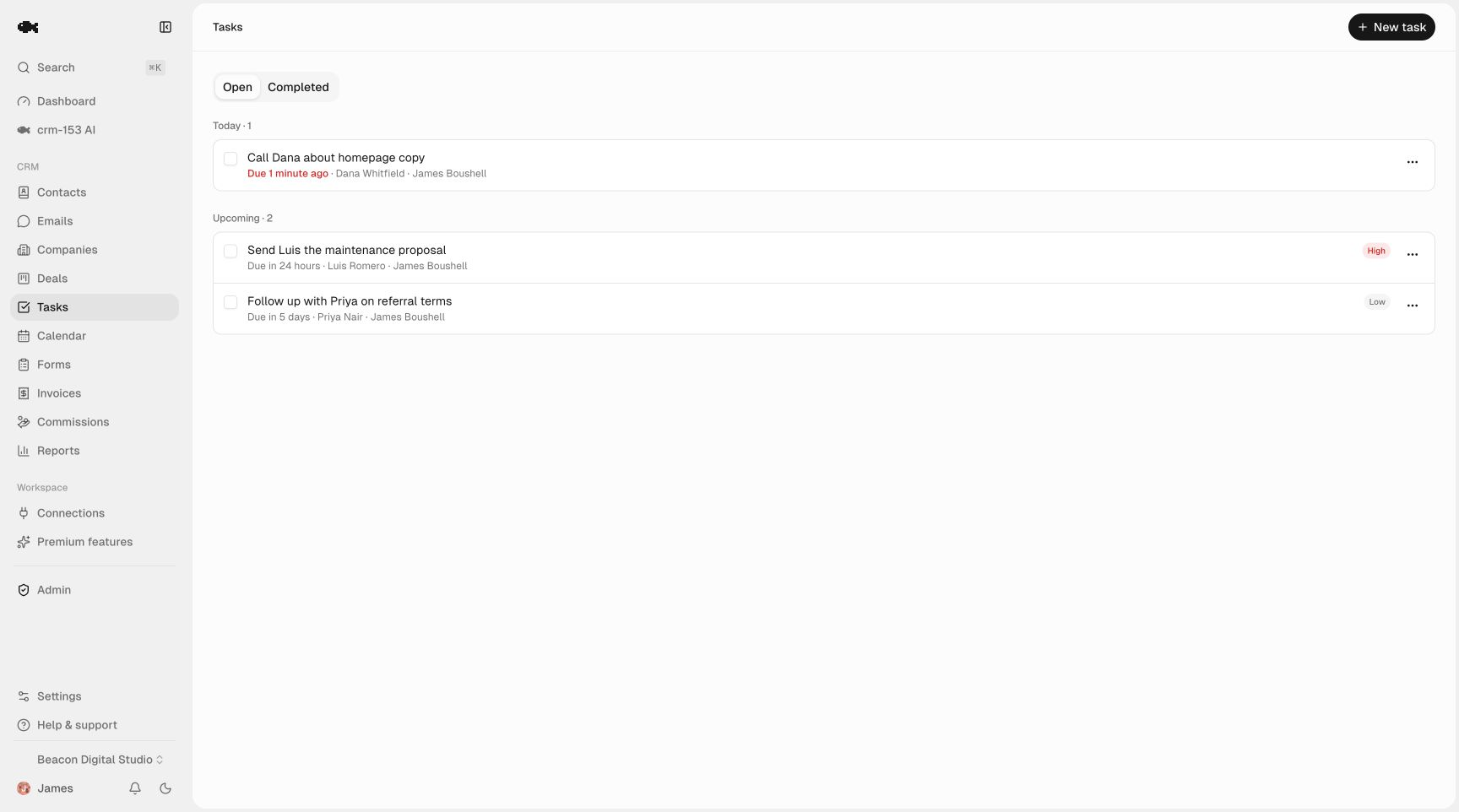
Document deadlines are where files die. A rate lock expires, a condition sits unanswered, a closing date creeps up with docs still out. The fix is to turn every deadline into a dated task the moment it exists, not a mental note.
With tasks and reminders, every follow-up has a due date and fires an in-app and email reminder, sorted into Today, Overdue, and Upcoming so your morning starts with exactly what's at risk. Practical rules that hold up under volume:
- When a lender issues conditions, create one task per condition with a due date.
- The day you lock a rate, create a task dated two days before expiry.
- When a closing date is set, back-schedule a "docs confirmed" task three days prior.
- After any borrower call where you're waiting on them, set a two-day nudge so the ball never sits in their court silently.
The long game: renewals, anniversaries, and refinance touchpoints
This is where most broker CRMs earn their keep — and where free-tier tools with contact caps quietly punish you, because your past-client database is your actual asset and it only grows. You want every borrower you've ever funded living in one place, with a reason to hear from you before a competitor's mailer does.
Set these up as the file funds, so they're already scheduled when the time comes:
- Funding anniversary — a yearly check-in task. Even a short "how's the house" note keeps you top of mind.
- Rate-watch / refinance window — if someone closed at a high rate, set a task to review their file when rates move, or at a sensible interval.
- Rate-lock and term maturity — for products that renew or reset, a task dated ahead of the maturity date.
- Referral asks — a gentle, well-timed task a few months post-close, when the move is behind them and they're happy.
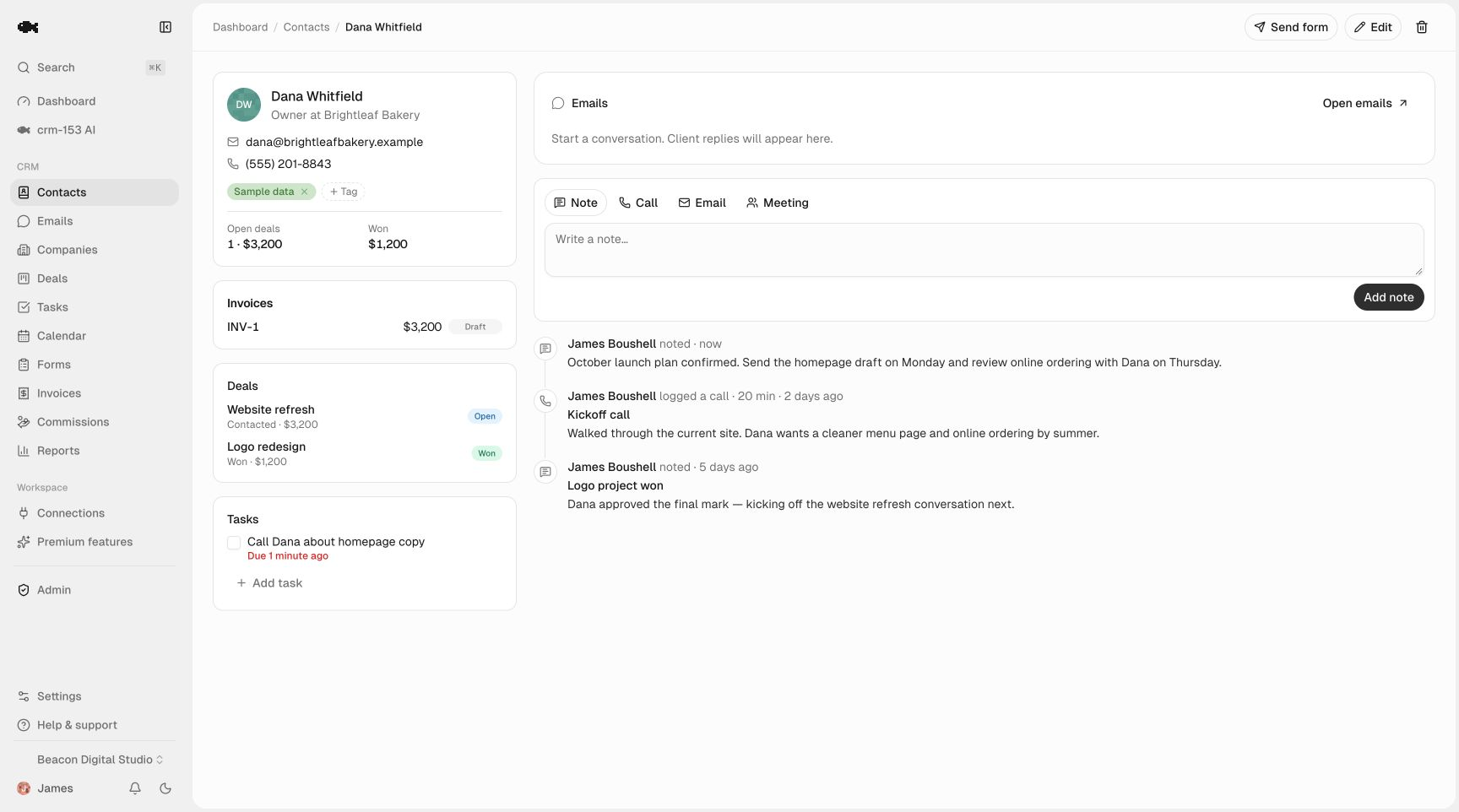
Tag past clients by year funded, product, or rate band so you can pull a targeted list fast — for example, everyone who closed above a certain rate when the market drops. Unlimited contact management means no one ever ages out of your database, and every call, email, and meeting lands on a shared activity timeline so you (or an assistant) can see the whole relationship before reaching out.
Why "actually free" matters here specifically
A lot of CRMs marketed as free cap contacts, limit seats, or lock export. For a broker, each of those is a direct hit: your past-client list grows forever, you may have a processor or a partner who needs in, and your book of business should never be hostage to a vendor. crm-153 has no paid tier and no contact caps, unlimited team seats so your processor and referral partners can share the same records, and CSV import and export that's always free — so you can bring in your existing spreadsheet today and take everything with you whenever you want. It costs nothing to verify; check the pricing page to see how the free model actually works.
If you want a broader comparison before committing, the best free CRMs for small businesses guide puts the options side by side.
Getting started this week
- Export your current client spreadsheet and import it — map columns, dedup by email.
- Build your loan-stage pipeline and drop every active file onto it.
- Create tasks for every outstanding condition and closing date you have right now.
- Add anniversary and refinance-window tasks to your last year of funded clients.
- Log activity as you go, so the timeline fills in on its own.
Poke around a real workspace in the live demo, or start free — no credit card, no trial clock — and have your pipeline running before your next file submits.