Roofing doesn't sell like general contracting. A single storm can bury you in leads overnight, half your pipeline runs on insurance adjusters' timelines instead of yours, and a job you quoted in April might not get on a crew's calendar until July. A free CRM for roofing contractors has to track all of that — estimates, claim status, material orders, and who's on the roof next week — without charging you per seat or capping how many homeowners you can store.
This guide lays out a practical setup you can build in an afternoon, whether you use crm-153 or any tool that lets you shape your own stages and fields. The point is the system; the tool just holds it.
Why roofing needs its own setup
If you've read a general CRM for contractors guide, start there — a lot carries over. But roofing has three wrinkles that break a generic bid-and-job pipeline:
- Storm chasing. Leads arrive in clusters tied to hail and wind events, often in a specific neighborhood. You need to tag by storm date and area so you can canvass and follow up as a batch, not one at a time.
- Insurance claims. A big share of residential replacements run through the homeowner's carrier. That adds a whole phase — inspection, claim filed, adjuster meeting, approval, supplement — that has nothing to do with your sales skill and everything to do with waiting on other people.
- Long, lumpy cycles. From knock to installed roof can be weeks or months. Deals sit idle through no fault of yours, so "I'll remember to check in" is how half of them die.
A spreadsheet can limp through the first few jobs, but once two storms overlap it falls apart. If you're still on a sheet, the CRM vs. spreadsheet breakdown covers when to switch.
Build the pipeline around claim and job stages
The core of a roofing CRM is a sales pipeline whose stages match how a job actually moves. Here's a residential pipeline that reflects the insurance path:
| Stage | What it means |
|---|---|
| New lead | Canvassed, referral, or storm inquiry — not yet contacted |
| Inspection scheduled | Free inspection booked |
| Inspected / damage found | You've been on the roof, documented damage |
| Claim filed | Homeowner has opened a claim |
| Adjuster meeting | Carrier inspection scheduled or done |
| Approved | Claim approved, scope agreed |
| Contract signed | Homeowner committed, deposit if any |
| Scheduled | On a crew's calendar |
| Installed | Roof on, cleanup done |
| Closed / invoiced | Final payment, supplement collected |
Run retail (out-of-pocket) and insurance jobs as two separate pipelines if the steps differ — crm-153 gives you unlimited pipelines with custom stages, so you're not forced to jam both into one board. Each column shows its total value, so you can see at a glance how much money is stuck at "adjuster meeting" versus ready to install.
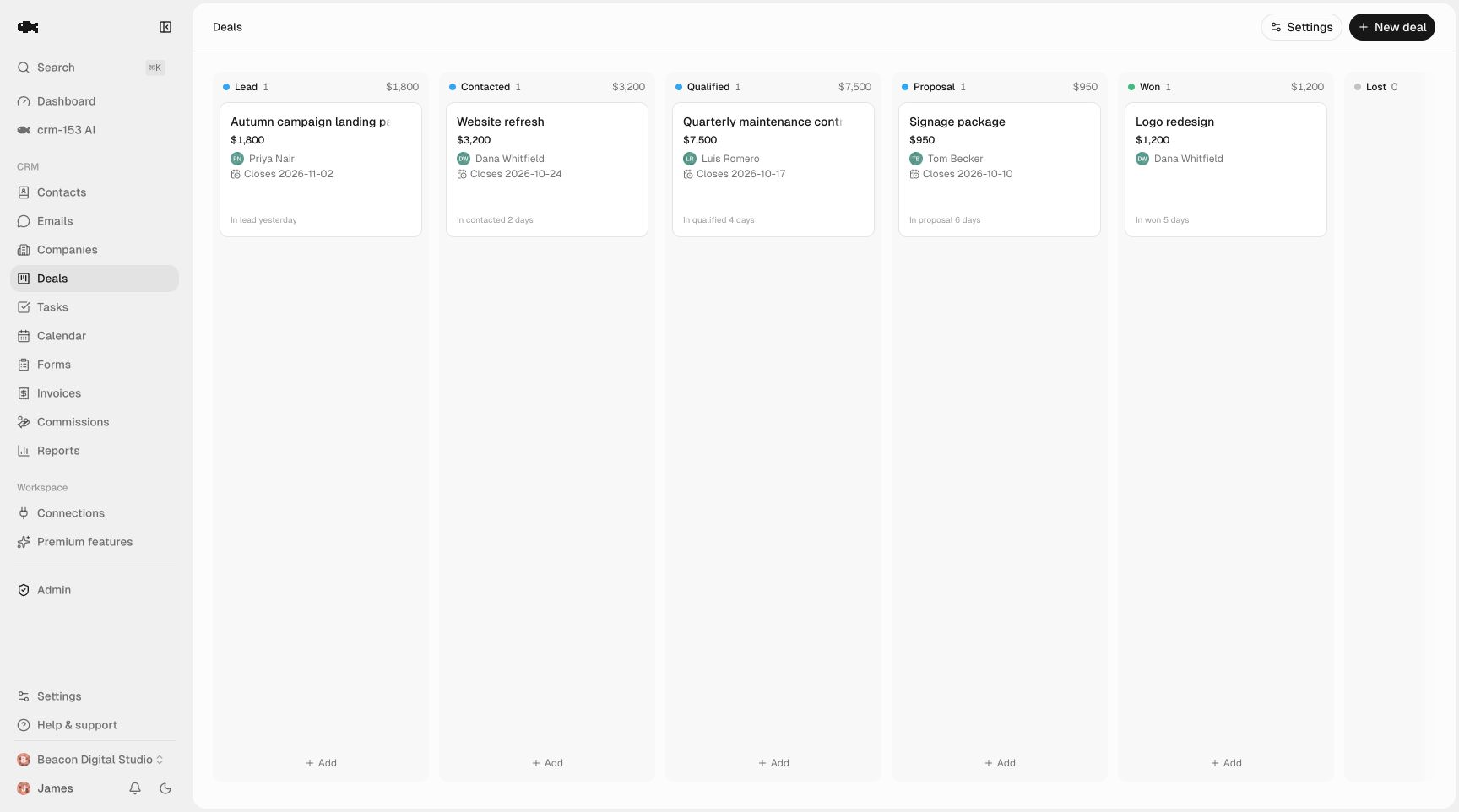
Keep one rule: a stage should mark something that actually happened, not how you feel about the deal. "Approved" means the carrier approved. "Scheduled" means it's on the calendar. If you want help drawing those lines, see how to define pipeline stages.
Tag storm leads so you can work them as a batch
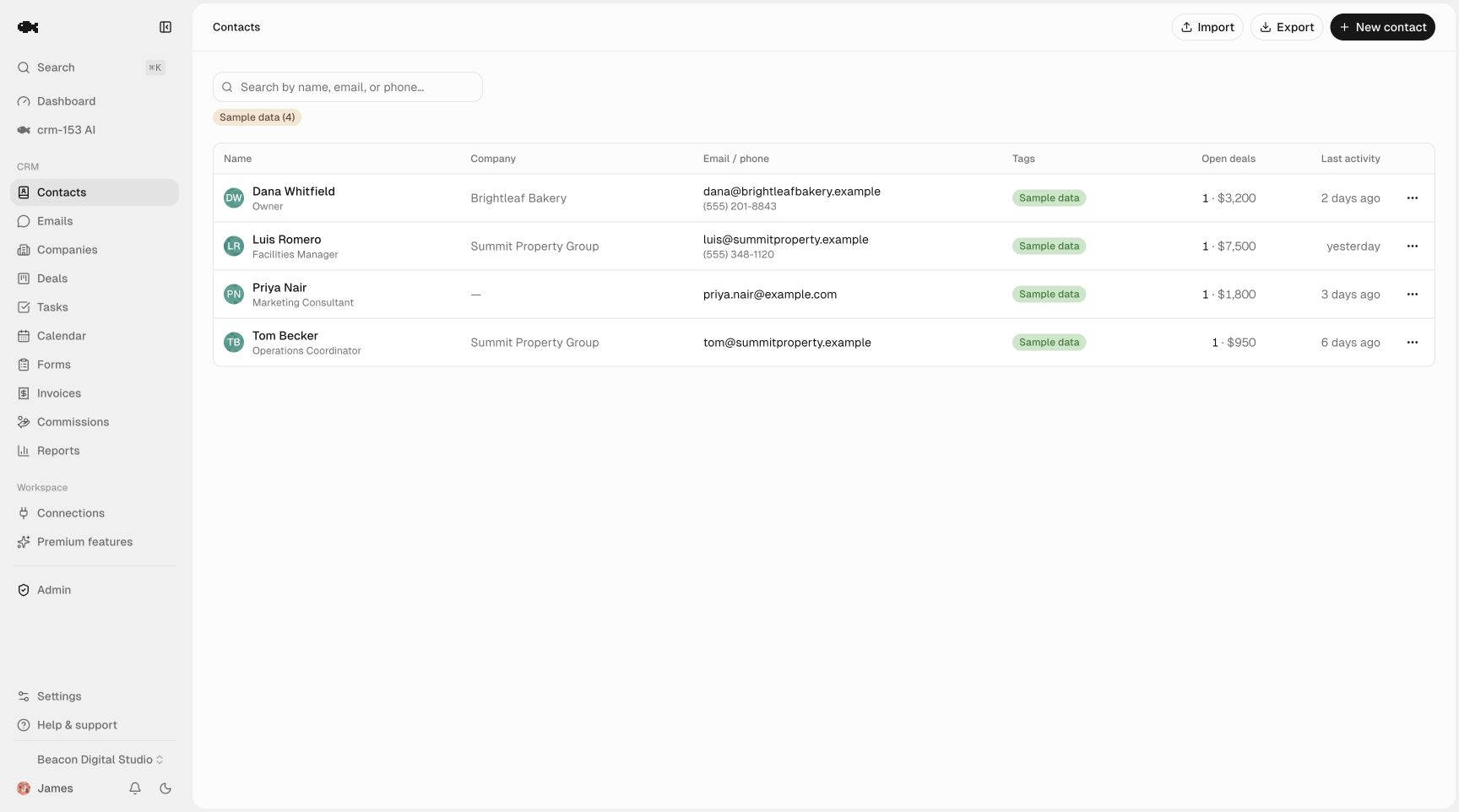
When a hailstorm hits a subdivision, you don't want those 40 leads scattered across your pipeline with no way to find them together. Use tags and company/address grouping so you can filter instantly.
Practical tagging for roofers:
- Storm date / event — e.g.
hail-2024-05-18so you can pull every lead from one event. - Neighborhood or subdivision — for canvassing routes and door-knock follow-up.
- Lead source — door knock, referral, Google, yard sign, insurance referral.
- Roof type / material — asphalt, metal, tile — affects your estimate and material order.
With tags on your contact records, you can search "every uncontacted lead from the May 18 storm in Oakwood" and run them as a block. Storing addresses and roof details on each homeowner also means next time that neighborhood gets hit, you already know who you talked to.
Track estimates, material orders, and the paper trail
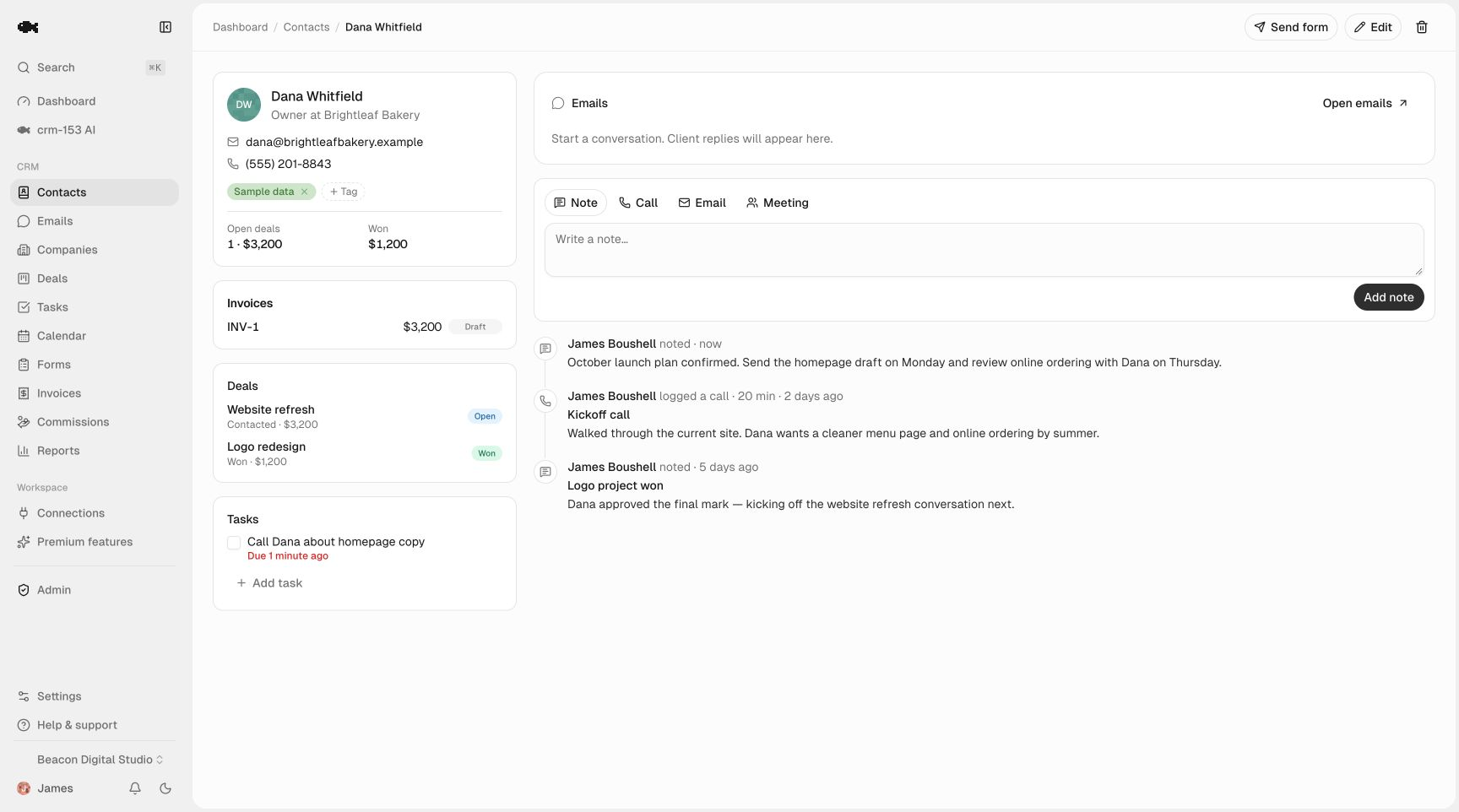
Each deal is a folder for everything about that job. Log it on the activity timeline with one click so anyone on your team can see the full history — not just you:
- Estimate sent — note the amount and the date, so follow-up has a reference.
- Claim details — carrier, claim number, adjuster name and phone, scope amount.
- Material order — supplier, color, squares ordered, expected delivery.
- Site notes — access issues, dog in the yard, steep pitch, gate code.
- Photos reference — where the damage photos live (link or note).
The timeline matters most on long jobs. When a homeowner calls three weeks after the adjuster meeting, whoever picks up can open the record and see exactly where things stand instead of saying "let me find out and call you back."
Follow-ups and crew scheduling that don't live in your head
The deals that die in roofing are the ones waiting on someone else — the adjuster, the supplier, the homeowner who's "thinking about it." You beat that with scheduled follow-up, not memory. Every deal should have a next action with a date.
Use tasks and reminders to set things like:
- Call the homeowner the day after you send the estimate.
- Check in three days after the claim is filed.
- Confirm material delivery the day before the install.
- Follow up 48 hours after an adjuster declines or underpays — that's where supplements get won.
Tasks group into Today, Overdue, and Upcoming and send both in-app and email reminders, so a follow-up two months out won't fall off the radar. For the underlying logic, the lead follow-up system and how to automate follow-up reminders guides go deeper.
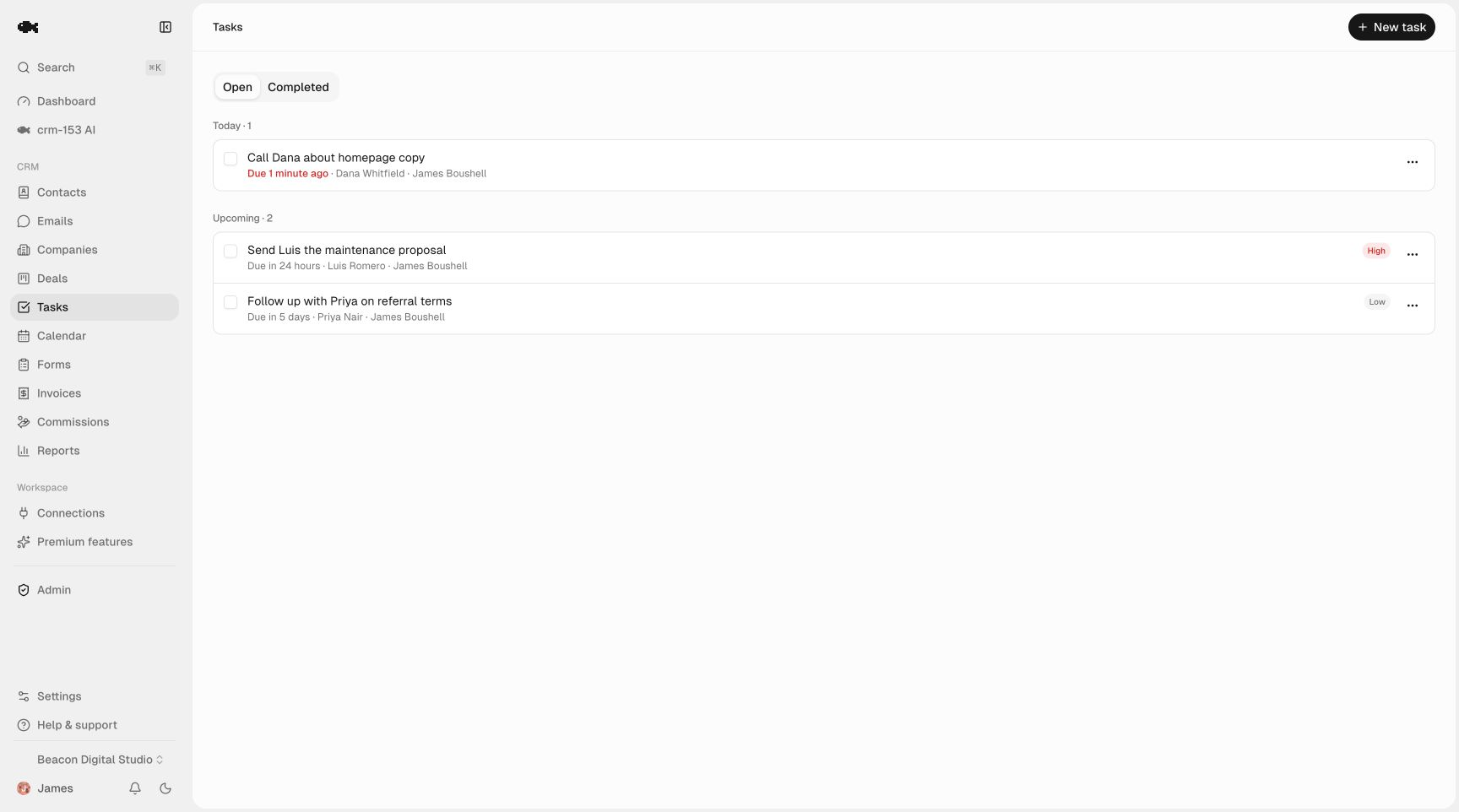
For crew scheduling, you don't need field-service software to start. Put each install on the task calendar with the crew assigned as owner, and the whole team sees what's booked. It's not a dispatch board, but it keeps "who's where next week" out of group texts.
Keep the whole team on the same records
Sales reps, a measurer, the office manager, and crew leads all touch the same jobs. Per-seat pricing pushes small roofing outfits to share one login — which wrecks accountability. crm-153 includes unlimited team seats, so everyone gets their own account, every call and note is attributed, and you can still filter to "my leads." If you want to see it running first, the live demo is read-only and needs no account.
Getting started without losing your existing list
If your current leads live in a spreadsheet or your phone, you can bring them in with CSV import — map your columns, dedupe by email, and you're running. Full export is always free too, so your homeowner list is never locked in.
The honest reason this is worth ten minutes of your time: crm-153 is genuinely free. There's no paid tier, no contact cap, and no seat limit — the only charge anywhere is a small optional fee on online invoice payments, laid out on the pricing page. So building the roofing setup above costs you nothing to try, and if it doesn't fit, you export and walk. Start free and stand up your first storm pipeline today.