Cold calling lives or dies on two things: getting through your list efficiently, and remembering exactly what happened on every call so the next one isn't starting from zero. Most people try to run this out of a spreadsheet and a notepad, and it holds up for about two weeks. This guide covers how to set up a CRM for cold calling specifically — how to structure your call lists, log outcomes with real dispositions, and schedule callbacks so no promising lead goes cold while you're dialing the next one.
This is a workflow guide, not a general pipeline walkthrough. If you also need to build out stages for deals that move forward, pair this with how to define sales pipeline stages once your calling motion is running.
What cold calling actually needs from a CRM
Strip away the marketing and a cold-calling setup needs four things:
- A clean, loaded call list you can work top to bottom without hunting.
- Fast outcome logging — a two-second record of what happened, not a form that breaks your rhythm.
- Dispositions — a consistent set of labels (no answer, gatekeeper, not interested, callback, qualified) so you can see patterns and sort the list.
- Callback scheduling — a reminder that resurfaces the lead at the right time, with the context attached.
You don't need power dialers, AI call scoring, or anything fancy to start. You need those four things to be fast and reliable. Everything below assumes a CRM where contacts, activity logging, tasks, and tags are all free and in one place.
Step 1: Load and segment your call list
Start by getting your raw list into one place. If your leads are in a spreadsheet — purchased list, scraped data, a conference attendee export — clean the columns first (name, company, phone, email, source) and import them. A column-mapper CSV import that dedups by email keeps you from calling the same person twice from two lists.
Once contacts are in, segment them with tags so you can work one coherent list at a time. Good cold-call tags:
- Source (
list-chamber-2024,webinar-signup,referral) — so you can tell which lists convert. - Segment (
dentists,smb-saas,region-west) — so your pitch stays consistent within a session. - Priority (
a-list,warm) — so you call the best-fit prospects first.
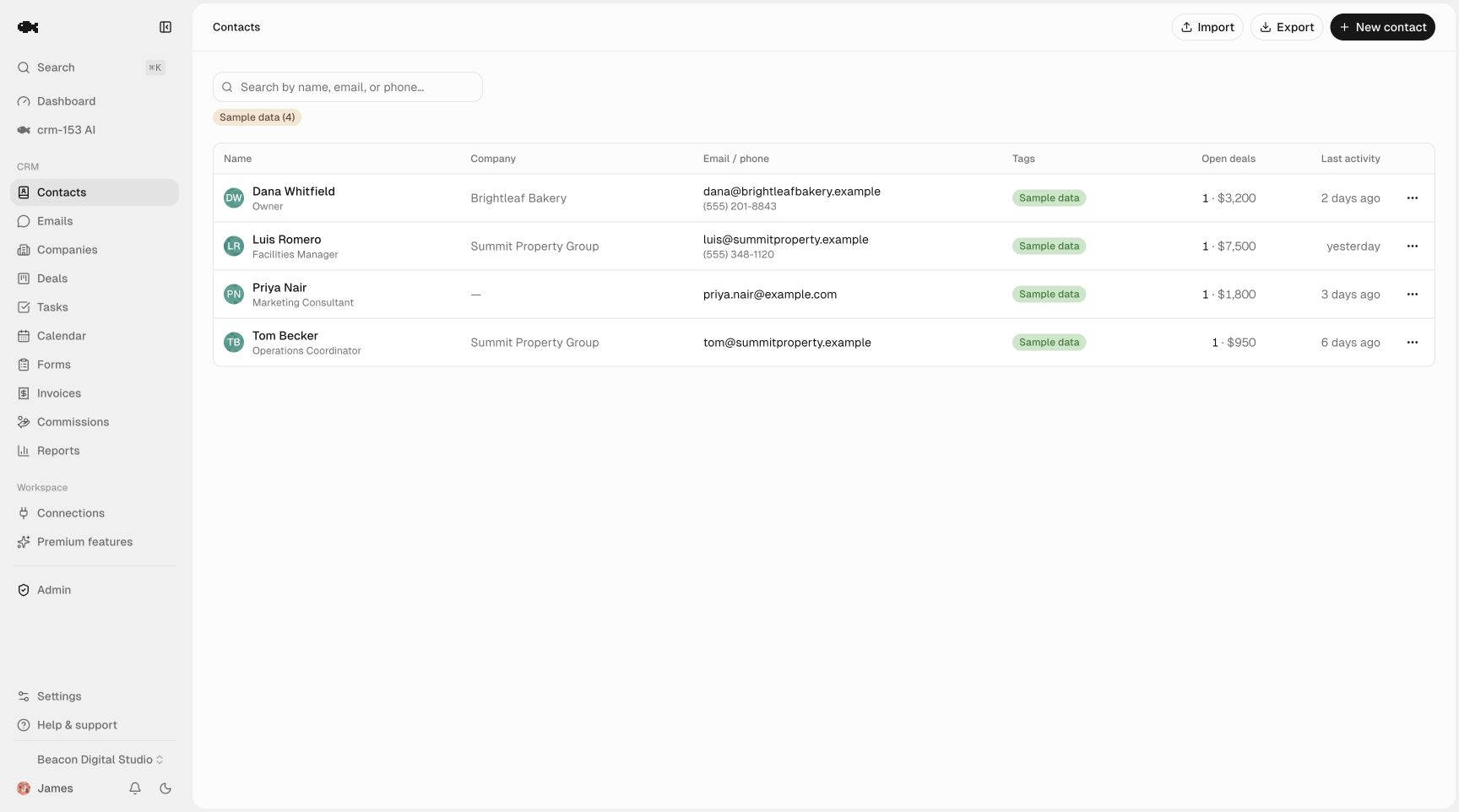
The goal is that at the start of a calling block you can filter to one tag and have a finite, ordered list in front of you. A vague "call everyone" list is why people avoid the phone.
Step 2: Define your dispositions before you dial
A disposition is the outcome of a call attempt. Decide on your set up front and use the same words every time — otherwise your notes become un-sortable mush. A practical starter set:
| Disposition | What it means | Next action |
|---|---|---|
| No answer / voicemail | Didn't reach a human | Task to retry in 1–2 days |
| Gatekeeper | Reached someone, not the decision-maker | Note the name; task to call back with their info |
| Not interested | Clear no | Tag not-interested, no task |
| Bad number | Disconnected or wrong | Tag bad-data, stop calling |
| Callback requested | They asked you to call later | Task for the exact date/time they gave |
| Qualified | Real interest, worth a deal | Create a deal, move to pipeline |
You can implement dispositions as tags, as a note prefix, or as the title of the logged activity. The important part is consistency. When every attempt ends in one of these buckets, your list stays workable instead of turning into a pile of half-remembered conversations.
Step 3: Log every call in two seconds
The single biggest failure in cold calling is logging that's too slow, so you stop doing it, and then you're calling blind. The fix is one-click logging on the contact's record.
After each call, log it as a call activity with the disposition and one line of context: "VM, mentioned renewal in Q1" or "Gatekeeper — ask for Dana, Ops Manager." That's it. The next time this number comes up — this week or three months from now — you open the record and see the entire history in order.
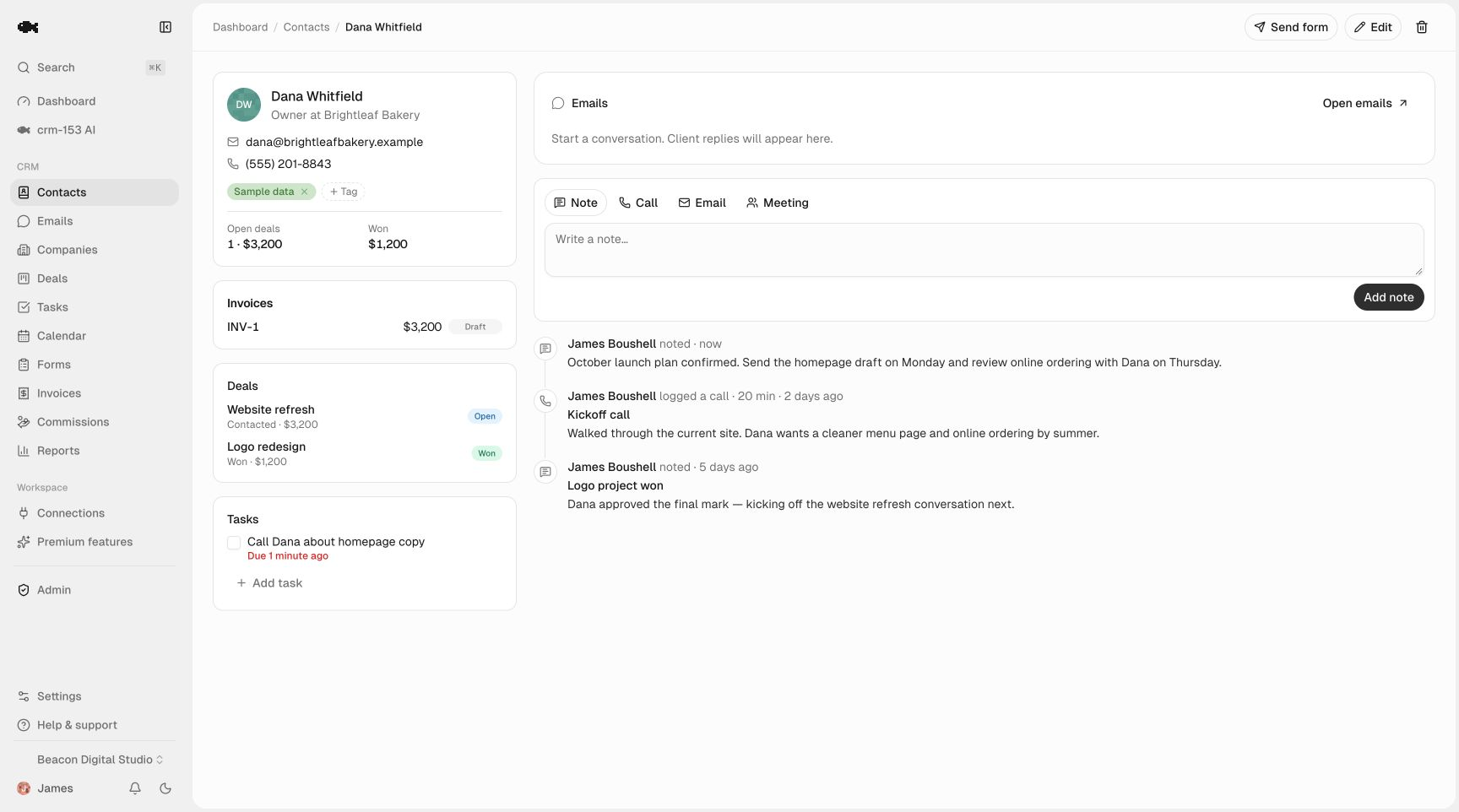
In crm-153 this is the activity timeline: one-click logging of calls, emails, meetings, and notes on a shared per-contact history. Because contact management is unlimited, you never hit a cap on how many prospects you can load or how much history you keep — which matters when you're dialing hundreds of leads a month.
Step 4: Schedule the callback immediately
The money in cold calling is in the second and third touch, and those only happen if you schedule them the moment the first call ends. Don't trust your memory and don't keep a separate callback spreadsheet — that's two systems that drift apart.
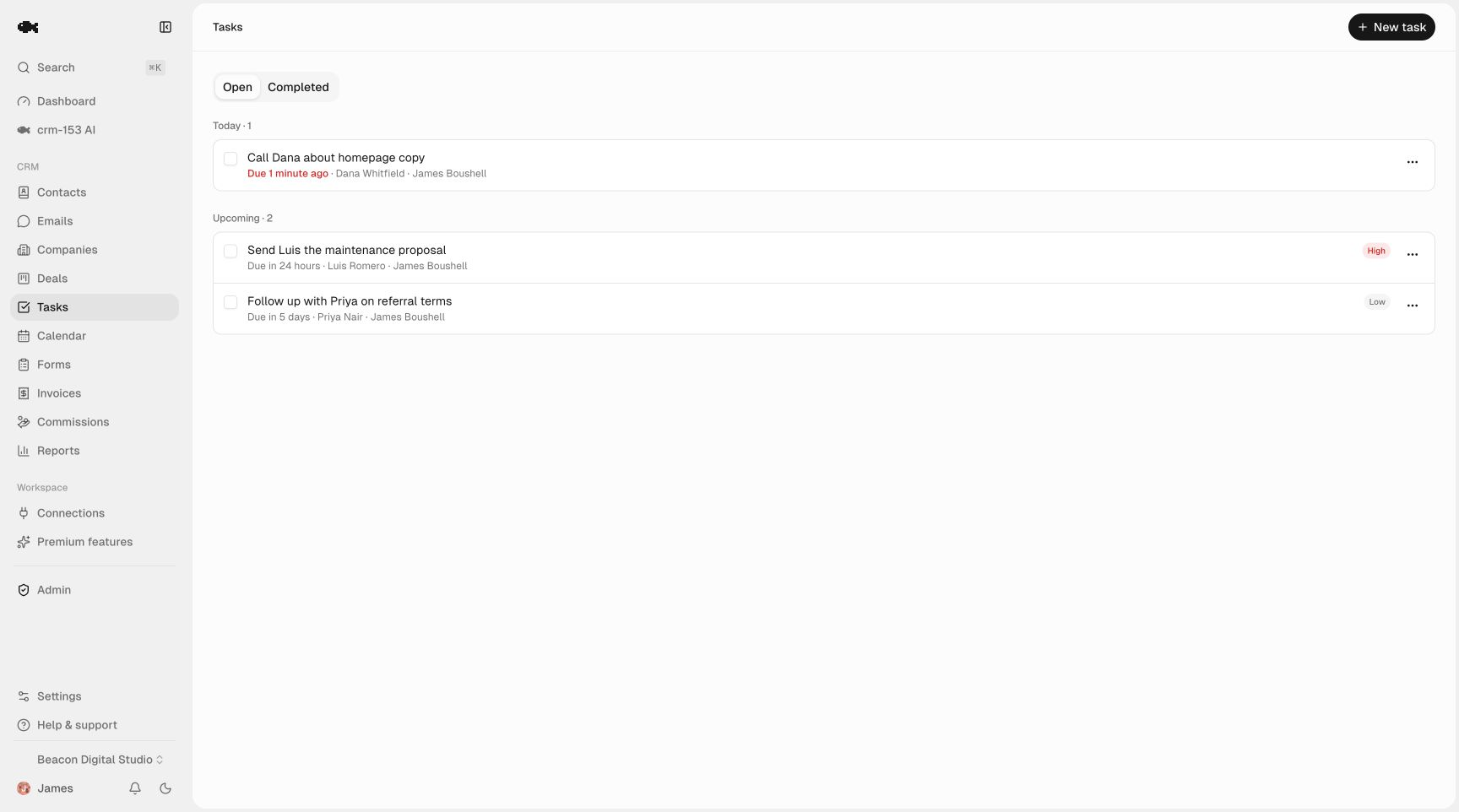
When someone says "call me after the 15th," create a task dated the 16th on that contact right then. When you leave a voicemail, create a retry task for two days out. The task carries the contact and its timeline with it, so when the reminder fires you're not re-reading cold notes — you've got the full history one click away.
crm-153's tasks and reminders give every task a due date plus automatic in-app and email reminders, grouped into Today, Overdue, and Upcoming. Your morning becomes simple: open Today, and that's your callback list.
For the discipline of cadences — how many attempts, how far apart, when to stop — see the lead follow-up system guide, which pairs well with this calling setup.
Step 5: Promote qualified calls into a pipeline
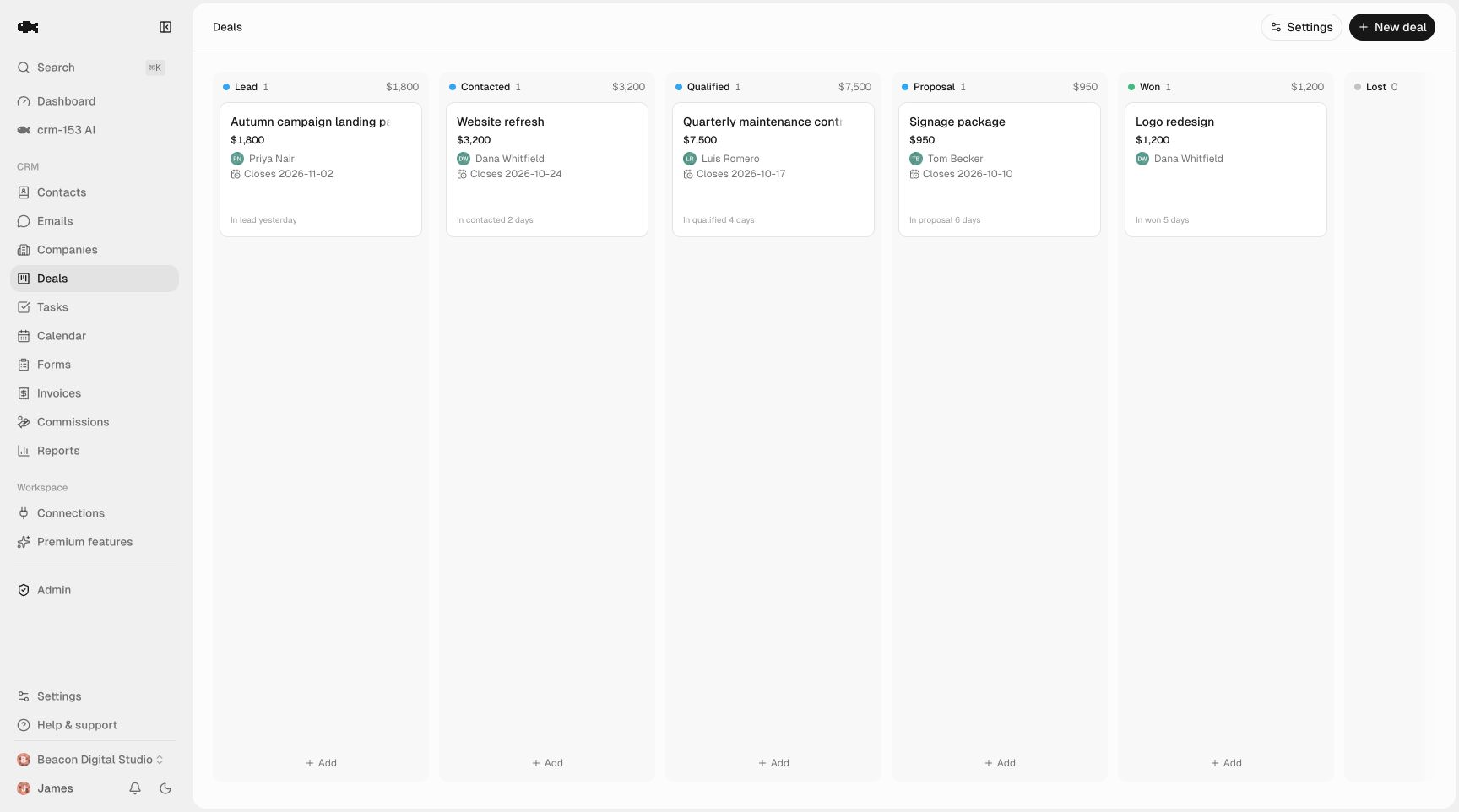
Cold calling isn't the whole sale — it's the front door. The moment a call turns a cold name into a real opportunity, create a deal and move it onto your sales pipeline. Now the lead leaves your dial list and enters a tracked, stage-based process with its call history attached.
Keep the two motions separate but connected: the call list is for unqualified prospecting, the pipeline is for deals in motion. Mixing them clutters both.
Step 6: Run the daily loop and review weekly
Your repeatable day looks like this:
- Open Today for scheduled callbacks and retries.
- Filter contacts to one tag for fresh dials.
- Call, log the disposition, schedule the next touch — every time.
- Promote anything qualified to the pipeline.
Once a week, look at your dispositions in aggregate. Which source tag produces the most qualified outcomes? Which list is full of bad-data? Is a segment all not-interested? That's how cold calling gets more efficient over time — you double down on lists that convert and kill the ones that don't.
A free setup you can start today
You don't need expensive sales software to run a disciplined cold-calling motion — you need fast logging, consistent dispositions, and callbacks that never slip. crm-153 does all of that with unlimited team seats, unlimited contacts, and full CSV export, with no paid tier and no per-contact caps. Because it's genuinely free, it costs you nothing to load a list and test the workflow — try the live demo to see it, or start free and have your first call list loaded this afternoon.